


Secure File Sharing 101: Why Basic Sharing Isn't Enough Anymore
- AI Generation Prompt: "Minimalist flat illustration of a document being shared between two devices, glowing blue connection line between them, clean navy background, modern tech style, no text, vector art"
- Stock Search Alternative: "digital document sharing illustration flat design" / "file transfer icon minimal"
- Alt Text: "Illustration of a secure file being shared between two devices"
"Just send it over Drive" or "I'll Dropbox it to you" has become how most teams talk about sharing files. It's fast, familiar, and mostly free — which is exactly why it's also where a lot of quiet data exposure happens. Not from dramatic hacks, but from ordinary shared links nobody's tracking anymore.
If you're new to thinking about this, here's the full breakdown: what "secure" file sharing actually means, where everyday tools fall short, and a checklist you can run against your own workflow today.
What Does "Secure" File Sharing Actually Mean?
Most people assume a file is secure if it's password-protected or sitting in a cloud account with a login. That's part of security — but real protection covers the file's entire lifecycle:
Before you share — is anything sensitive in the file (names, IDs, financial data) that shouldn't be visible to this particular recipient?
At the moment of sharing — who can open it, from where, and for how long?
After it's shared — can you tell who actually viewed it, and can you revoke access if you need to?
Most everyday sharing tools were built to answer question 1 (storage) and stop there. They weren't designed with 2 and 3 in mind — because they were built for convenience, not for handling sensitive business data.
The Risks Hiding in "Normal" File Sharing
- Forgotten active links. A link created for one project six months ago is often still live — and still accessible to anyone who has it.
- No visibility after sharing. Once a file is downloaded, you generally have no way to know if it was forwarded, copied, or screenshotted.
- Sensitive data hiding inside files. A spreadsheet, contract, or scanned form can carry personal or financial information that nobody manually checked before it went out.
- Anonymous or account-free sharing. Some tools let anyone upload and share without an account — convenient, but it also means there's little to no audit trail of who sent what to whom.
- Over-permissioned access. Files shared "with anyone who has the link" often stay that way long after the original need has passed.
- Shadow sharing. Employees using personal accounts (personal email, personal cloud storage) to move files faster — completely outside company visibility.
None of this means popular sharing tools are "bad" — they're built for general storage and collaboration, which they do well. The issue is using a general-purpose tool for a job that actually needs specific safeguards.
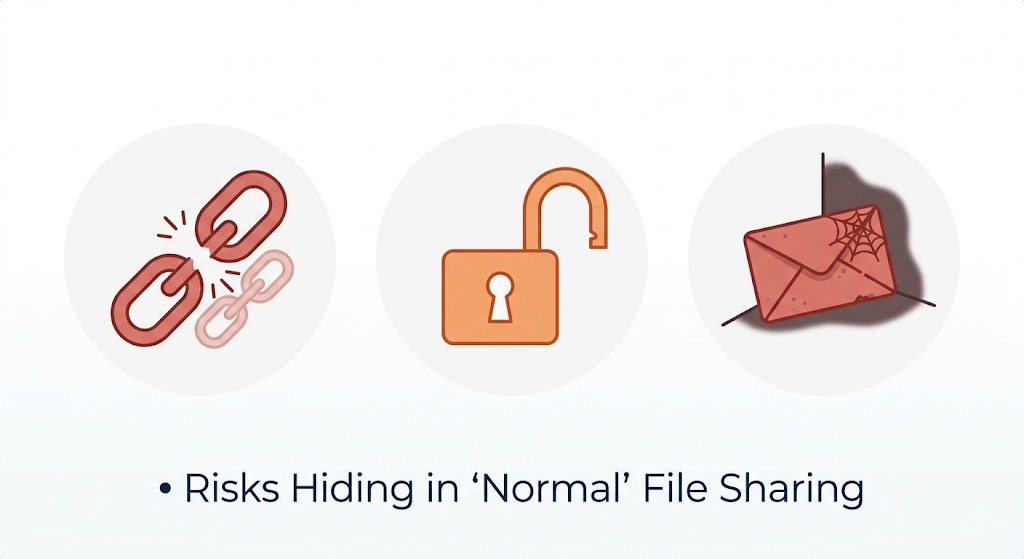
- AI Generation Prompt: "Flat vector icon set showing a broken link chain, an open padlock, and a forgotten envelope, muted red and orange warning tones on white background, minimal line art style"
- Stock Search Alternative: "data breach warning icons flat" / "unsecured link risk illustration"
- Alt Text: "Icon set representing common file sharing risks like expired links and unauthorized access"
A Closer Look: What Happens After You Hit "Share"
It's worth walking through the actual lifecycle of a shared file, because most of the risk sits in a part of the process nobody thinks about:
Moment 0 — Creation. The file is created, possibly with sensitive data embedded (a name, an ID number, a bank detail) that the author didn't specifically flag.
Moment 1 — Share. A link goes out. At this point, most tools ask one question: "Do you want a password?" That's usually the extent of the control offered.
Moment 2 — First open. The recipient opens it. Most tools can't tell you who this actually was, only that a click happened.
Moment 3 — Everything after. The file can be forwarded, downloaded, screenshotted, or copied into another system entirely. From here on, most sharing tools have zero visibility.
Real secure sharing treats all four moments as design requirements — not just Moment 1.
The Core Features of Real Secure File Sharing
Feature
What It Does
Expiration & access limits
Links stop working after a set time or number of views
Password protection
Blocks casual or accidental access
Identity verification
Confirms who is actually opening the file, not just whoever has the link
Geo-fencing
Restricts access to specific approved locations
Dynamic watermarking
Marks every view with the viewer's identity, so leaks can be traced
Audit trails
Shows exactly who viewed what, and when
Sensitive data detection
Flags or masks PII/PHI before the file is even shared
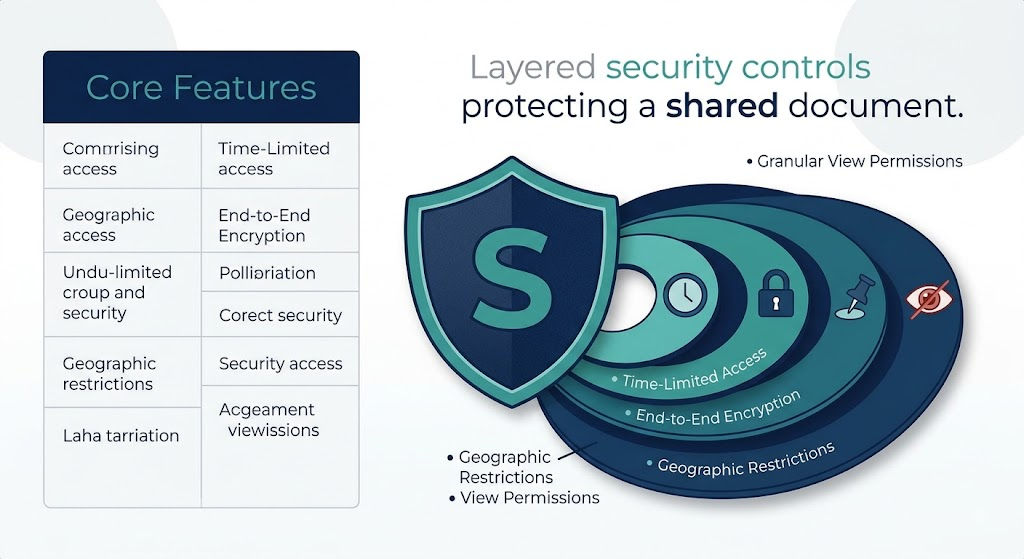
- AI Generation Prompt: "Clean infographic-style illustration of a shield with layered rings around a document icon, each ring labeled abstractly with a small icon (clock, lock, pin, eye), teal and navy color palette, flat design"
- Stock Search Alternative: "layered security shield icon" / "data protection layers infographic"
- Alt Text: "Layered security controls protecting a shared document"
When "Good Enough" Sharing Stops Being Good Enough
Basic sharing is usually fine for internal, low-stakes files — a meeting agenda, a draft blog post, non-sensitive marketing assets. It stops being enough the moment a file contains:
- Customer or patient personal data
- Financial records or account details
- Legal or contractual material
- Anything you'd need to explain to a regulator if it leaked
If a file falls into any of those categories, it's worth treating "sharing" as a security decision, not just a logistics one.
A Step-by-Step Audit: Check Your Own File-Sharing Habits
Run this against how your team actually shares files today:
List your top 3 sharing tools (email attachments, cloud drive links, transfer tools). For each, ask: does it support expiration, identity verification, and audit logs?
Pull up 5 recently shared links. Are any of them still active with no expiration date?
Check who has access to your last 10 sensitive files. Would you recognize every name on that list right now?
Ask whether any files went out with personal or financial data that wasn't specifically reviewed first.
Ask: if one of these files leaked tomorrow, could you tell who last had access to it?
If more than one of these raises a "no" or "not sure," that's a concrete signal your current sharing method wasn't built for what you're actually using it for.
A Simple Self-Check Before Every Sensitive Share
- Does this link expire, or will it work forever?
- Do I actually know who's opening it?
- If this leaked, could I trace it back to who saw it?
- Does this file contain personal data that shouldn't be visible to this recipient?
FAQ
Isn't cloud storage already secure by default?
Cloud storage providers generally secure the infrastructure well (encryption at rest, account login). What's usually missing is control over what happens after a file is shared — expiration, viewer identity, watermarking, and audit trails.
Do I need dedicated secure sharing software for every file?
No — it makes the most sense for files containing sensitive, regulated, or high-value information. Day-to-day internal files usually don't need the same level of control.
What's the single biggest gap in everyday file sharing?
Visibility after the share happens. Most tools tell you a link was created — very few tell you who actually opened it, from where, and what they did with it.
How do I know if a file I'm about to share is "sensitive"?
A quick rule of thumb: if the file contains a name tied to an ID, financial detail, health information, or contractual term — and you wouldn't want it visible to someone outside the intended recipient — treat it as sensitive.